


cleveland.com: Browns News
3.865.00 Reviews
App Specs
- Version
- 5.0.0
- Updated On
- License
- Free
- Downloads
- 10,000+
- Developer
- cleveland.com
- Categories
- Sports
- Platform
- Android
Screenshots
 Analysis by AppCompare
I approached cleveland.com: Browns News as a focused sports app rather than a complete football toolbox. Its purpose is simple: keep Cleveland Browns supporters close to team news in a format that feels more direct than opening a general news service and searching for the Browns every time. After spending time with it, I see its value most clearly for fans who want one dedicated place to check what is happening around the team, while also understanding that a specialist news app cannot replace live-score services, broad sports coverage, or a full league statistics platform.
The app is free to install, carries a Teen content rating, and comes from cleveland.com. It has been available since July 23, 2012, and the current version is 5.0.0. Those details matter because this is not a brand-new experiment built around a temporary sports story; it is an established Browns-focused product that has gone through multiple versions. At the same time, its average rating sits at 3.8 from around 160 ratings, so I would not describe it as universally polished. My recommendation depends heavily on whether you value team-specific reading more than a broad, all-in-one sports experience.
How I would decide whether it belongs on your phone
I’d judge its staying power by whether it makes a regular Browns check-in easier, not by how much you browse during the first few days. I’d give it a place on my phone if its focused reading role complements the tools I already use, rather than duplicating them. That habit-based test is the clearest way to decide whether the app remains useful after the initial curiosity wears off.
Start with the kind of fan you are
The first question is not whether the app is free. It is whether your daily sports habit is centered on the Browns. If you follow Cleveland casually and only look at headlines when a major result appears, a general sports app may be enough. You will probably get broader coverage, scores from many competitions, and a more useful home screen for other teams. Installing a dedicated Browns news app may add another notification stream without changing your routine very much.
If the Browns are the team you check first in the morning, however, the narrower focus becomes an advantage. I like the idea of opening a product that does not make me sort through unrelated clubs, leagues, and trending stories before reaching the subject I actually care about. That focus is especially useful during busy parts of the season, when a general feed can bury team developments beneath national headlines.
My decision criteria would therefore be straightforward: how often you want Browns coverage, whether you prefer written reporting to live game tools, how much you dislike switching between apps, and whether you are comfortable with optional purchases. The app is free, but in-app items range from $4.99 to $99.99 each. That does not automatically make it poor value, yet it means I would check what any paid option provides before treating the free download as a completely cost-free long-term experience.
What I look for during an ordinary week
In everyday use, a team news app earns its place by reducing small amounts of friction. I want to check it while having coffee, during a commute, or before a game without first rebuilding my information feed. A focused Browns destination can work well in that situation: open it, scan the latest stories, and leave with a quick sense of what deserves attention.
Worth Reading Before You Choose

Flipboard Shows What News Apps Must Do Beyond the Feed

Switching to Android Auto Means Rethinking Your Driving Routine

Google Calendar Makes a Crowded Week Easier to Manage

Ludo King Makes the Most of the Minutes Between Plans

Baby Panda World Brings Quick Play to Modern Phones, but Its Game Library Feels Busy

ESPN’s Live Game View Makes Following Close Games Easier
A realistic example would be a weekday morning when I have only a few minutes. I would use this app for the first pass through Browns developments, then decide whether a particular story deserves a longer read later. That is a better fit than opening a broad sports application and spending the same short window filtering through baseball, basketball, national football stories, and unrelated alerts. The trade-off is that I would still want another service nearby for schedules, scores, standings, and wider league context.
The key strength is not breadth; it is reduced searching for Browns-specific reading. That distinction helps set expectations. This is a news companion, not a replacement for every sports utility on a fan’s phone.
Where the focused approach wins
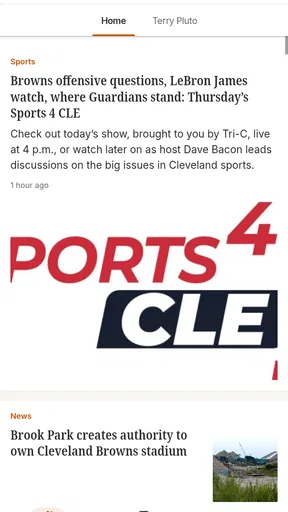
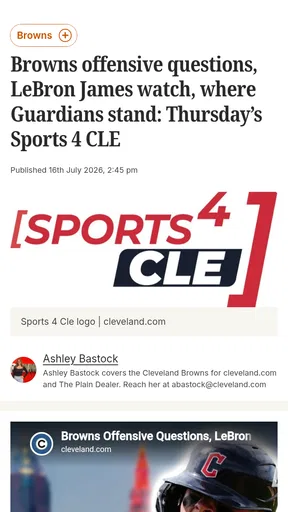
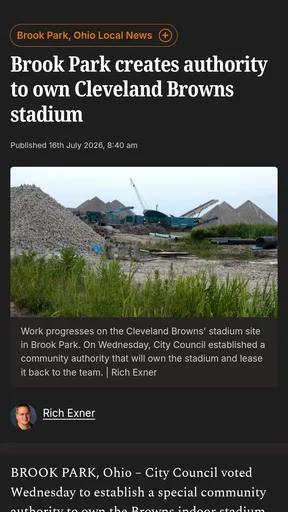
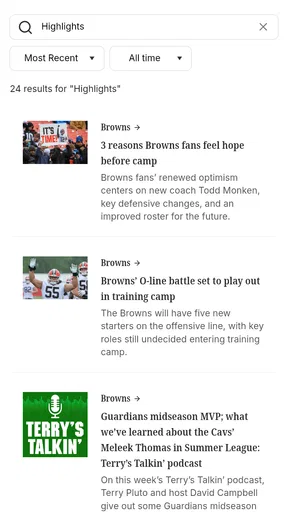
The clearest advantage is relevance. A dedicated Cleveland Browns news app speaks to a particular audience instead of trying to serve every sports fan at once. For supporters who already know the team they want to follow, that specialization can make the experience feel calmer and more purposeful than a general feed.
I also see value in using it as a first-stop reader before turning to social media. Social platforms are fast, but they can mix speculation, reactions, old posts, and incomplete context. A team-focused news product gives me a more deliberate place to begin. I can use social channels afterward for discussion, but I would rather form my initial understanding from reporting than from a stream of posts competing for attention.
Another useful habit is separating “check-in” reading from “deep-dive” reading. I would open the app for a quick scan when I want awareness, then save my longer attention for the stories that affect my interest most. This prevents the common mistake of treating every update as equally urgent. The app’s focused identity makes that workflow natural because I am not constantly being pulled toward unrelated sports.
The developer, cleveland.com, is also important to the product’s identity. The app is not presented as a neutral scores dashboard; it is tied to a publication known for local coverage. For a Browns fan, that local orientation can be more useful than a purely national service when the story calls for team-specific context. I would choose it when the question is “What is happening around Cleveland?” rather than “What happened across the entire league?”
Practical ways to get more from it
My first tip is to use the app at set moments instead of repeatedly checking it throughout the day. A morning scan and an evening review are often enough for a casual or moderately engaged fan. This keeps the app useful without letting every new headline interrupt work, family time, or another activity.
Second, I would pair it with one complementary tool rather than several overlapping news apps. Let this app handle Browns reading, while a separate sports service handles scores and schedules. That division is cleaner than installing multiple general news feeds that all repeat the same national stories. It also makes it easier to judge whether the dedicated app is genuinely saving time.
Third, I would treat the free version as a trial of the reading experience, not as a promise that every desirable option will remain cost-free. Since optional purchases are available, I would avoid buying anything immediately. I would first use the app through several ordinary days, including a game day, and decide whether the focused coverage is valuable enough to justify any paid item that appears relevant.
Finally, I would keep expectations realistic around breaking news. A dedicated team app can be a convenient place to read updates, but no single mobile source should be treated as the only authority during rapidly changing situations. If a story affects travel, tickets, player availability, or a time-sensitive decision, I would cross-check it with the team or league’s official channels. That is good sports-reading discipline, not a criticism unique to this app.
Where broader alternatives may fit better
The usual alternative is a general sports news app. That option makes more sense for someone who follows several teams, wants league-wide headlines, or regularly moves between sports. A broad service may also be the better choice if you want one place for live scores, standings, schedules, alerts, and news. I would not install this Browns-focused app expecting it to outperform a mature all-sports dashboard at those tasks.
Another alternative is a mobile browser. Browsing directly can be more flexible, especially if you already have a carefully organized set of favorite pages. It may also suit readers who dislike maintaining separate apps. The downside is the extra effort: opening the browser, finding the right page, and filtering out unrelated material each time. For a fan who checks Browns coverage frequently, that repeated process can become more annoying than it sounds.
Social media is a different kind of competitor. It is often faster for reactions and conversation, but speed comes with noise. If your priority is immediate fan discussion, this app may feel slower or less interactive than the social feeds you already use. If your priority is a cleaner starting point for news, the dedicated format is more appealing. I would use both only if I could keep their roles separate: reporting here, discussion elsewhere.
There is also a difference between local team coverage and national analysis. A national football service may provide more comparisons across teams, fantasy-oriented information, or league-wide perspective. That can be more useful for someone whose interest extends well beyond Cleveland. The Browns app is better understood as a specialist companion. Its value rises when the team itself is the subject, and falls when you want a complete football encyclopedia in one screen.
What may make the experience less convenient
The rating of 3.8 from around 160 ratings tells me to approach the app with measured expectations. It is not a warning to avoid it, but it does suggest that some users may encounter friction. In my view, the biggest potential limitation is the narrow scope: if you expect scores, schedules, league tables, multimedia, and every kind of football analysis, the app may feel incomplete simply because its central job is news.
The presence of in-app purchases is another point to examine. A free download is attractive, but the range up to $99.99 per item is substantial enough that I would read each purchase screen carefully. I would not assume that paying improves every part of the experience, and I would make sure any purchase matches a need I already have rather than responding to a prompt in the moment.
The Teen rating also means I would not treat it as a children’s sports reader without checking the content in context. A football news feed can involve strong language, injuries, controversy, or other mature themes even when the subject is simply a professional team. For adult fans and older teenagers, that rating is unlikely to be a problem; for younger children, I would choose a more age-controlled option.
Another limitation is the possible cost of attention. A team-specific app can encourage frequent checking because every update feels personally relevant. I would manage that by deciding when I want news rather than allowing the app to dictate my day. This is a small but meaningful trade-off: the more closely a product follows one team, the more important it becomes to control notifications and reading habits.
The cost of switching from another sports app
Moving to this app is not difficult if you only want to add a Browns news source. The real cost is organizational. You may need to decide which existing app will remain responsible for scores, schedules, and general football coverage. If you replace a broad sports app completely, you could lose the convenience of having many teams and tools together.
I would handle the change gradually. Keep your current sports service, install this one, and use the Browns app as your first stop for team news for a week. During that period, notice whether you still open the old service for information this app does not cover. If you do, the sensible result is not necessarily to uninstall either product; it may be to give each one a clearly defined job.
For a Browns-only fan, the switch can be worthwhile because the dedicated focus may remove repeated searching. For a multi-team follower, the cost of switching is more noticeable because specialization replaces convenience. The right choice depends less on the app’s download price than on whether its narrower coverage matches your actual routine.
Who should install it, and who should skip it
I would recommend it to a Cleveland Browns supporter who checks team news regularly, prefers a local sports perspective, and wants a focused reading destination without paying to begin. It is also a reasonable choice for someone who has become tired of general sports feeds burying Browns stories beneath unrelated content.
I would be more cautious if you mainly need live scores, schedules, standings, fantasy tools, or coverage from several teams. In those cases, a broad sports app will probably give you more value from a single installation. I would also skip it if you strongly dislike optional purchases or prefer to read everything through a browser, unless the dedicated focus solves a problem you experience often.
For younger users, I would take the Teen rating seriously and decide based on the individual’s age and comfort with sports news content. For families sharing a device, I would also be careful about accidental purchases, particularly because the available in-app items can be expensive. A free starting point is useful, but it should still be treated like any app that offers paid extras.
My recommendation after weighing the trade-offs
cleveland.com: Browns News makes the most sense as a focused companion, not as the only sports app on your phone. I like its clear purpose: it is aimed at people who want Cleveland Browns news without navigating a massive general feed. That specialization can save time, support a calmer reading routine, and provide a more natural home for fans whose attention is centered on one team.
My final decision would be to try the free version if the Browns are your main sports interest, then judge it over normal weekdays and at least one busy news period. Keep a separate score or schedule service if those tools matter to you, and do not rush into an in-app purchase before you understand how the free experience fits your habits. The current version is 5.0.0 and the app has passed the ten-thousand-install mark, so it has a real audience, but the modest average rating means I would test it personally rather than assume it will suit everyone.
In short, I recommend it to dedicated Browns readers who value focus over breadth. I would choose a general sports alternative for multi-team followers, score-first users, and anyone seeking a complete football dashboard. Used for what it is—a team-specific news reader from cleveland.com—it can earn a useful place in a fan’s routine. Used as a replacement for every other sports tool, it is likely to feel too narrow.
Pros
- Fast access to the latest Cleveland Browns news and team updates.
- Includes breaking stories
- analysis
- rumors
- and game-related coverage.
- Useful for fans who want Browns content in one dedicated app.
- Clean layout makes articles easy to browse on a phone.
- Helps users follow team developments without checking multiple sources.
Cons
- Coverage may focus heavily on the Browns rather than wider NFL news.
- Some articles or features may require a subscription to access fully.
- Notifications can become frequent during games
- trades
- or major news.
- Content quality and publishing speed may vary between different stories.
- The app may use noticeable data and battery when alerts are enabled.
FAQs for cleveland.com: Browns News
What is cleveland.com: Browns News?
cleveland.com: Browns News is a mobile news app focused on the Cleveland Browns. It brings together team coverage such as breaking news, game previews and recaps, player updates, roster developments, analysis, opinions, and other NFL-related stories. After installing it, users can browse the latest headlines in one place instead of searching across multiple sports websites and social media feeds.
Is cleveland.com: Browns News free to download and use?
The app can generally be downloaded at no cost, allowing users to access some Browns stories and headlines without an upfront purchase. However, availability may vary by article, account status, platform, and current publisher policy. Some content may be limited by a subscription or registration requirement, so users should check the app’s listing and in-app notices before assuming every article is fully accessible for free.
What kind of Browns content can I find in the app?
The app is designed for fans who want regular Cleveland Browns coverage, including breaking team news, injuries, transactions, coaching developments, draft information, game-day updates, schedules, results, and postgame reaction. It may also include columns, commentary, videos, photos, and broader NFL stories connected to Cleveland. The exact mix can change as the season and news cycle develop.
Does the app provide live scores, notifications, or game updates?
Depending on the version and enabled features, cleveland.com: Browns News may offer timely updates, alerts, and coverage around Browns games and major team developments. Notifications can be useful for injury news, breaking reports, and final scores, but they may need to be activated in both the app and your device settings. Users should also remember that written coverage is not necessarily a substitute for live game streaming.
What should I know about privacy, subscriptions, and app permissions?
Before downloading, review the app-store privacy information and permission requests because the app may collect usage, device, advertising, or account-related data according to its publisher’s policies. If you create an account or subscribe, check the renewal terms, billing details, and cancellation process carefully. Notifications, internet access, and possibly location or advertising permissions can vary by device and app version.


